v0.3.0 published
Save space. Keep your games installed.
Compact Games helps Windows users free up storage without uninstalling the games they still want close by. It is built for crowded SSDs, large libraries, and anyone tired of deciding what has to go just to make room again.
- No account, analytics, or telemetry
- Compression can be restored later
- Same installer for first install and updates
- Open source, with SHA-256 checksums published
Compact Games is a Windows app. If you are on a phone, tablet, or another desktop OS, open this page on a Windows 10 or 11 PC to install the Windows installer.
Latest release
Live GitHub release details for the current Windows installer.
2d1ceb112f80...29ebb59e7d06Inside the app
Compression may affect this title
Star Citizen
Community reports indicate this game can crash on launch after file compression. Compact Games recommends leaving it alone.
Community reports indicate this game can crash on launch after file compression. Compact Games recommends leaving it alone.
Cancel
Continue anyway
Baldur's Gate 3
Saved 24.8 GB
Cyberpunk 2077
Restoring · 62%
Red Dead Redemption 2
Back to original
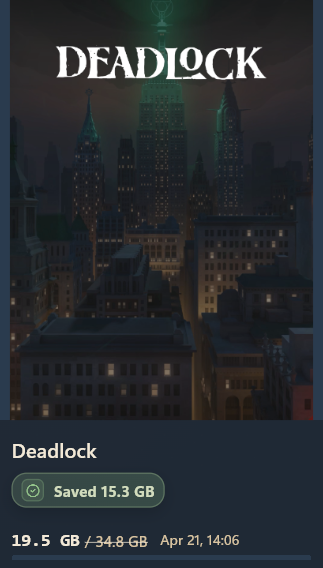
Scans your installed libraries and shows saved-space totals per title.
Easy start
It works with the launchers people already use.
Compact Games scans the game folders you already have, then lets you decide what to compress and what to leave alone.
Safer by design
Warns you before risky choices
If a game may not be a good fit for compression, Compact Games warns you before you make changes.
Your choice
Easy to restore later
Compression is reversible, so you are not locked into one choice.
Built for real cleanup
Less disk-space triage, fewer uninstall decisions.
The goal is simple: help you keep more of your installed games available on the same machine without turning storage cleanup into a chore.
What's new
Active development, small honest releases.
Recent release notes are pulled from the same GitHub source as the download card, then fall back to this static snapshot if the request is unavailable.
Full release history- v0.3.0 Aug 19, 2026Library Home, cover art, and decompression improvements. Adds installed-game news and live player counts, improves packaged Xbox artwork, and makes decompression less demanding on the system disk.
- v0.2.9 Aug 12, 2026Dependency maintenance release. Updates secure-storage support and refreshes installer provenance attestation.
- v0.2.8 Aug 10, 2026Roomier Library details. Improves the responsive selected-game layout on tall, wide windows while keeping details readable at the wide breakpoint.
Compatibility
Some games are better left alone.
Compact Games keeps a compatibility list so users can check known trouble spots before making changes.
Check the latest compatibility files
The app and the site both point to the same official release files, so you are not guessing which list is current.
Official source
GitHub release files
For everyday use
Use the unsupported list
For deeper review
Use the review bundle
Questions, support, and release links in one place.
Use the FAQ for plain-language answers, email for direct help, or GitHub if you want the latest release files or a place to report a problem.
Performance
Most supported games keep working normally after compression.
Some titles are more sensitive, which is why the app warns you before you make risky changes.
Undo
You can restore a game later if you change your mind.
Compact Games is meant to help you keep options open, not force one permanent setup.
Updates
The same installer is used for first install and later updates.
You do not need a separate updater package or a different download flow.